
Clipboard history,
made seamless for Ubuntu & Linux.
Klipr is a native clipboard manager for Linux and Ubuntu that captures everything you copy — text, code, commands, and screenshots. Zero Electron bloat, instant fuzzy search over your clipboard history.
Clean, focused clipboard manager UI
Fits right at home on Ubuntu and every major Linux desktop environment — GNOME, XFCE, and KDE.
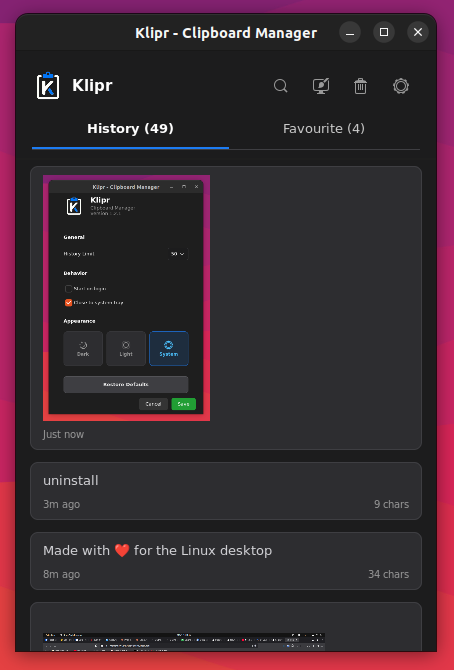
Everything a Linux clipboard manager should do
Core clipboard history features for Ubuntu, Fedora, and every major Linux desktop — no bloat, no subscriptions.
Automatic History
Quietly records snippets and automatically prunes older items based on your configured limit.
Instant Fuzzy Search
Search across your entire clipboard history with zero input latency and full multilingual IME support.
Pinned Favorites
Bookmark recurring commands, passwords, or snippets. Pinned items are protected from auto-pruning.
Image & Screenshot Capture
Preserves copied images and screenshots with instant thumbnail previews and one-click paste back.
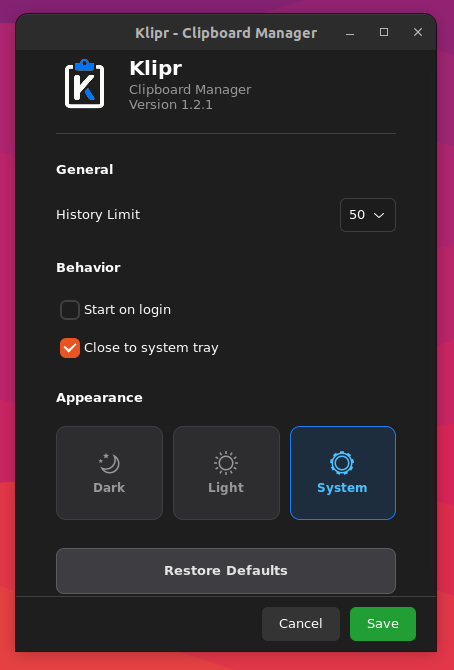
Dark, Light & System
Seamlessly synchronizes with your Linux desktop theme or choose your preferred look manually.
Pure Native Performance
Built with Python and GTK4. Tiny memory footprint that runs silently in the system tray.
Extract text from any image in seconds
On top of clipboard history, Klipr can turn screenshots, invoices, and receipts into clean, editable text.
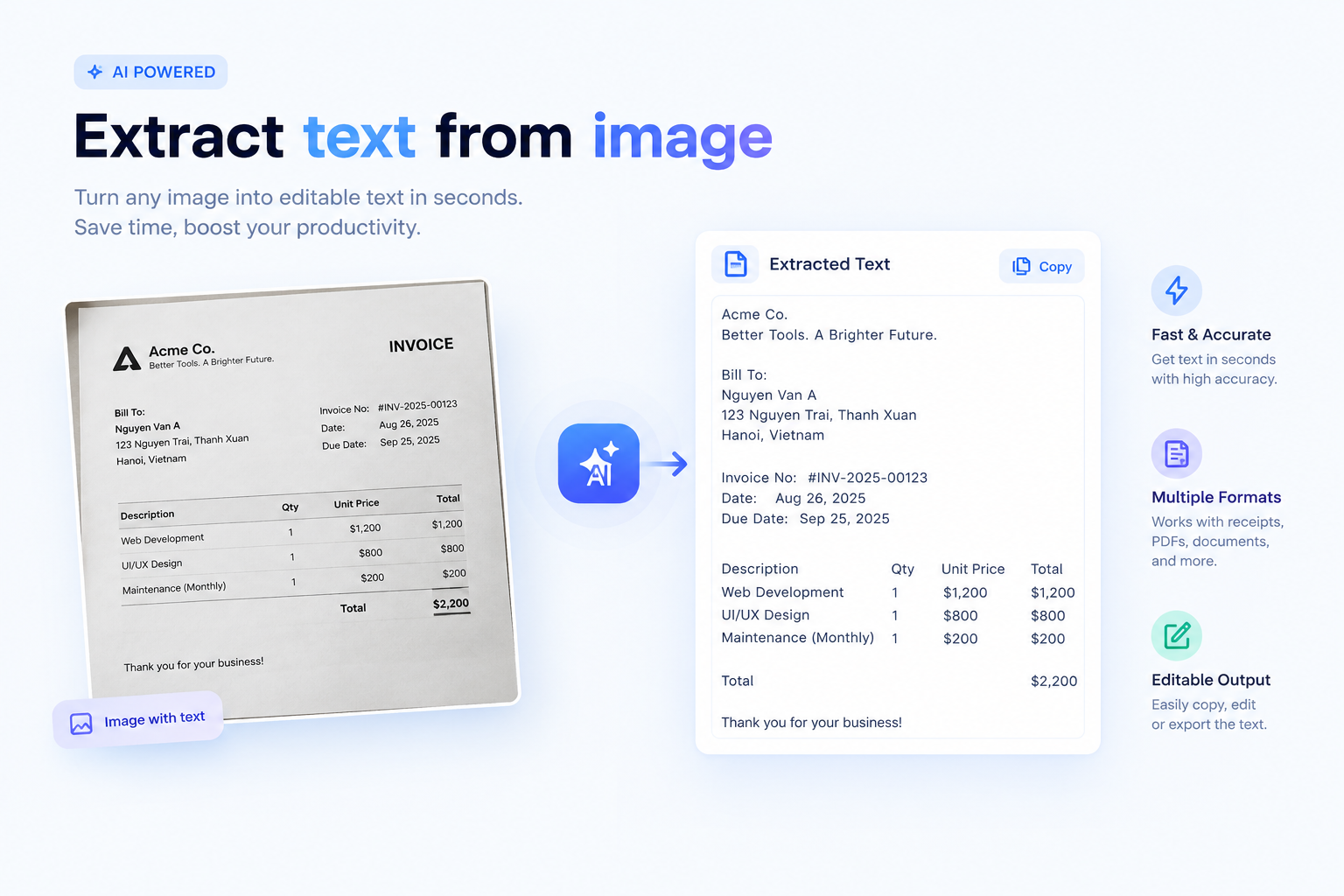
Fast & Accurate
Powered by Google Gemini & OpenAI. Get text in under 2 seconds with high accuracy.
Bills, Receipts & Docs
Works with paper receipts, financial invoices, tabular data, documents, and code screenshots.
Clean & Aligned Output
Smart plain-text column alignment with zero markdown clutter. Ready to paste anywhere.
100% Private (BYOK)
Bring Your Own Key. API keys are stored locally on your device with direct API calls and zero telemetry.
Install the Klipr Clipboard Manager in Seconds
One command on Ubuntu or any Snap-enabled Linux distro.
Works out of the box on Ubuntu, Fedora, Arch, and other major Linux distributions. Future updates then arrive through sudo snap refresh automatically.
Frequently Asked Questions
Quick answers to common questions about Klipr.
Yes. Klipr is 100% free and open source under the permissive MIT License. There are no paid tiers, subscriptions, hidden fees, upgrade prompts, or advertisements — ever.
Klipr runs on any modern Linux distribution with GTK4 and D-Bus support, including Ubuntu, Debian, Fedora, Arch Linux, and Linux Mint. It works seamlessly across GNOME, KDE Plasma, XFCE, Cinnamon, and MATE.
No. Klipr operates 100% offline by default. All text, code snippets, and image history are stored strictly on your local device in a local SQLite database with zero telemetry. The only exception is the optional AI OCR feature, which only calls out to your own configured Gemini/OpenAI API key — see the next question.
By default, Klipr stores your last 50 items. You can easily adjust this limit to 100 or 150 items in the Settings dialog to fit your workflow.
Never. Pinned favorites are stored separately and protected from automatic pruning. They remain safely pinned until you explicitly remove them.
Copied images and screenshots are saved as optimized PNG files in your local cache directory (~/.cache/klipr/images/) with instant thumbnail previews. Deduplication ensures identical images are not saved twice.
Klipr uses Bring Your Own Key (BYOK) for Google Gemini and OpenAI. Your API keys are stored locally on your device. When you extract text, images are sent directly to the official AI provider endpoint with zero telemetry or middleman servers. If you don't configure an API key, Klipr remains 100% offline.